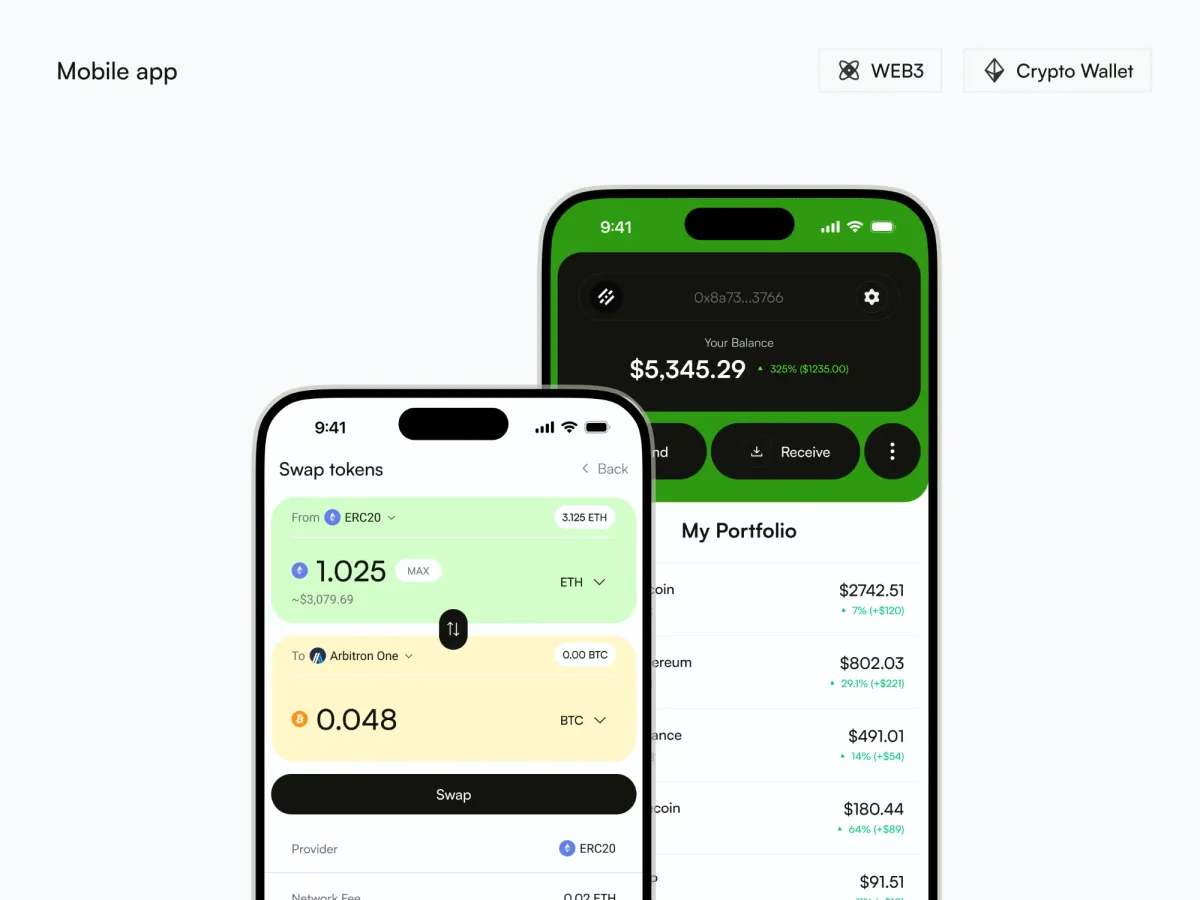
What Crypto Wallet is
A mobile app for managing digital currencies, built for casual users with everyday trades and for new traders. The vision on my project board is to make crypto transactions as clear as traditional banking, with a strong focus on security. I designed it in 2024.
The problem
The board states the problem plainly: crypto wallet interfaces are often too complex, so essential functions like sending, receiving or swapping tokens are hard to reach. The challenge was to simplify sending, staking and wallet backup without removing the complex functions or weakening security.
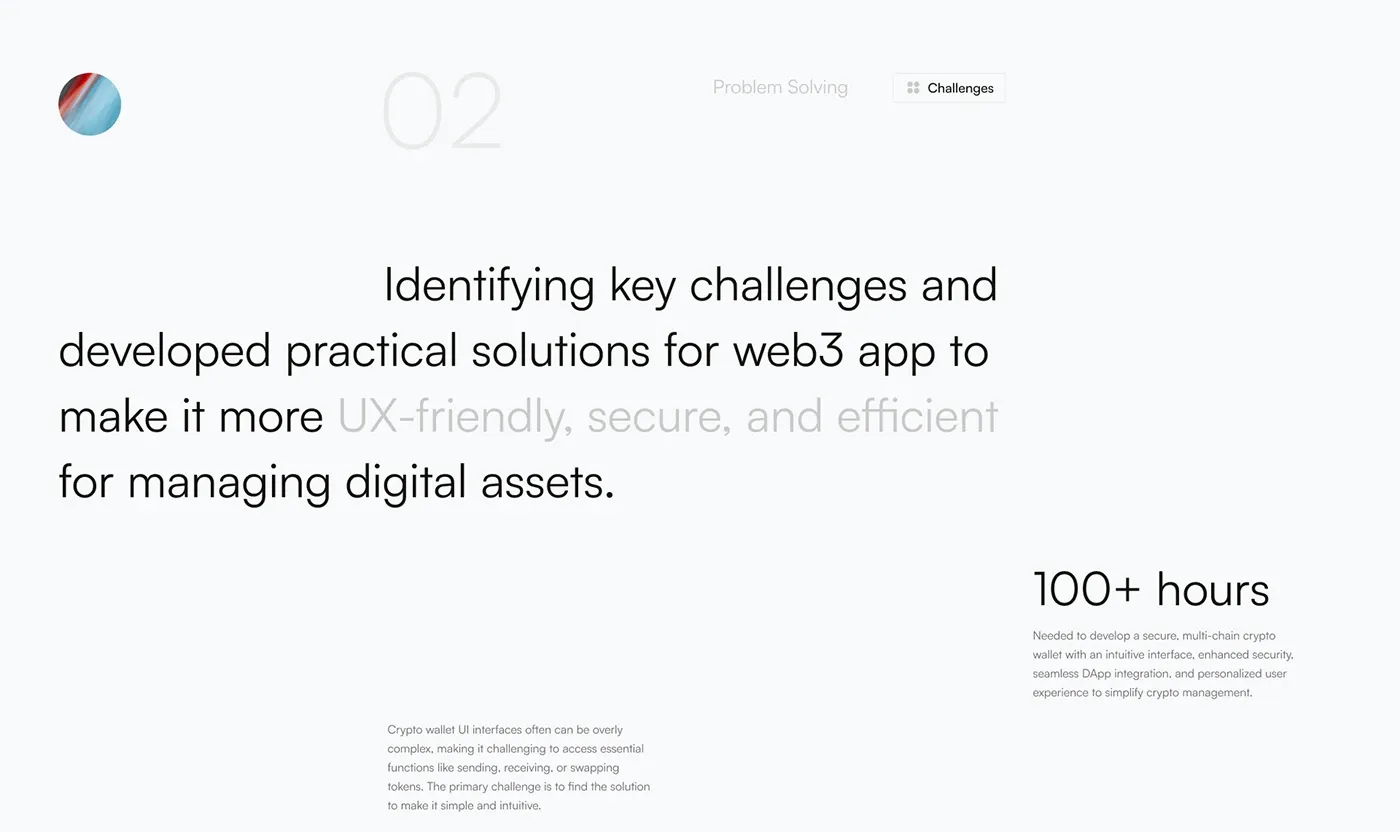
The challenges board from the presentation.
My role
I did the whole design: research, wireframes, a high-fidelity prototype, prototype testing, the UI and the presentation in 3D scenes. The project board puts the work at 100+ hours.
What I designed
- The token view. A price chart with Send, Receive and Swap right under it, then the transaction history with a status on each line.
- Swap. A From card and a To card in 2 colors, with the provider and the network fee below.
- Assets and token picker. A searchable list with a switch on each token, and a picker that shows the balance of every token.
- Staking. The minimum amount, the APR (yearly rate) and the lock time (14 days) come first. Stake, Unstake and Claim Reward are 3 separate buttons.
- Recovery phrase backup. The 12 words, 3 short safety notes and a progress bar at the top. After that, a check screen where you enter the words in order.
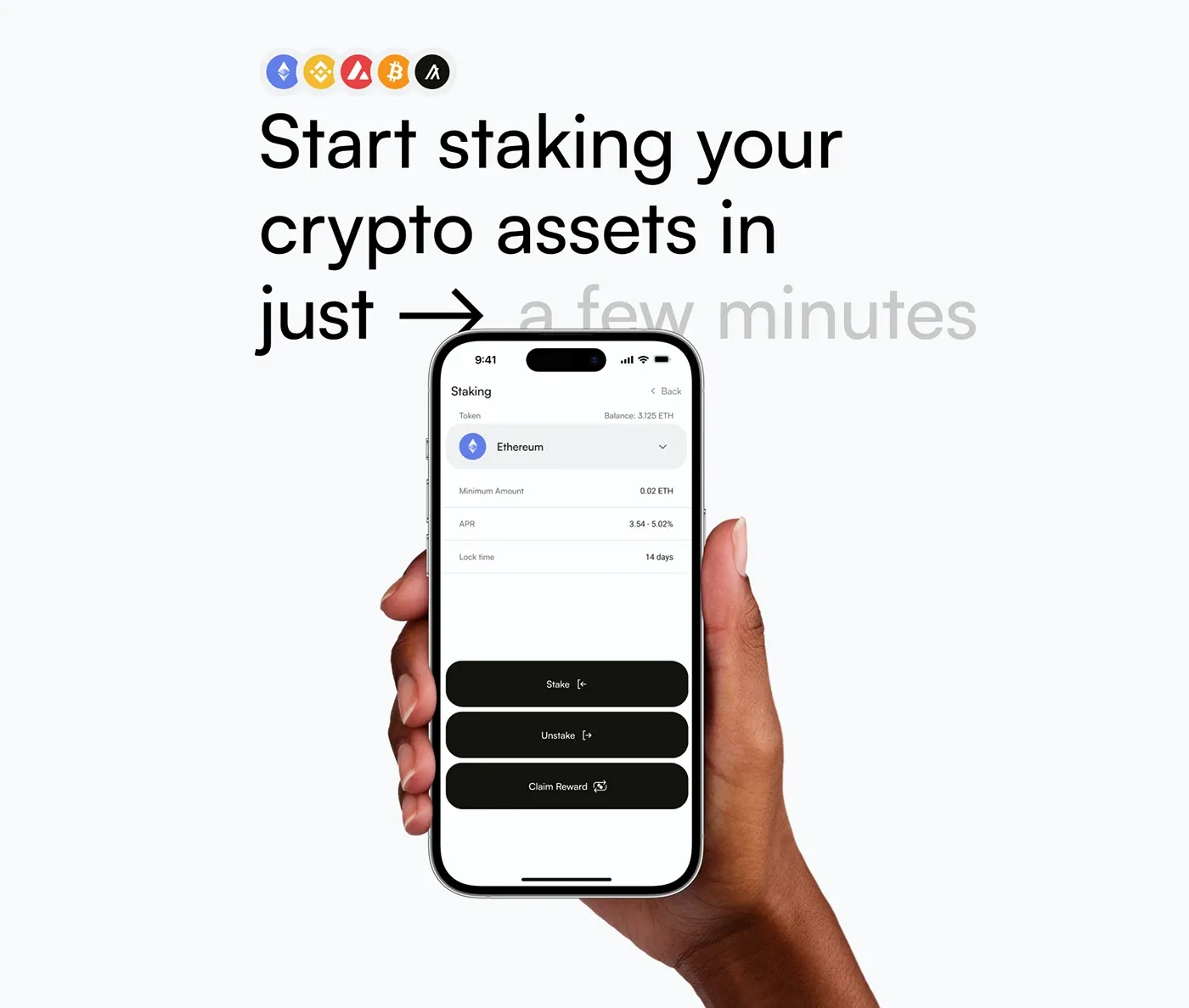
Staking: the terms first, the button after.
Design decisions
- The terms come before the commitment. Staking shows the lock time and the rate above the Stake button, so the person knows what they agree to.
- The backup is a short guided path. The button reads “Please, copy phrase” and stays inactive until the phrase is copied. The check screen then verifies that it was saved correctly.
- One task per screen. Swap, assets, staking and backup each have a screen of their own.
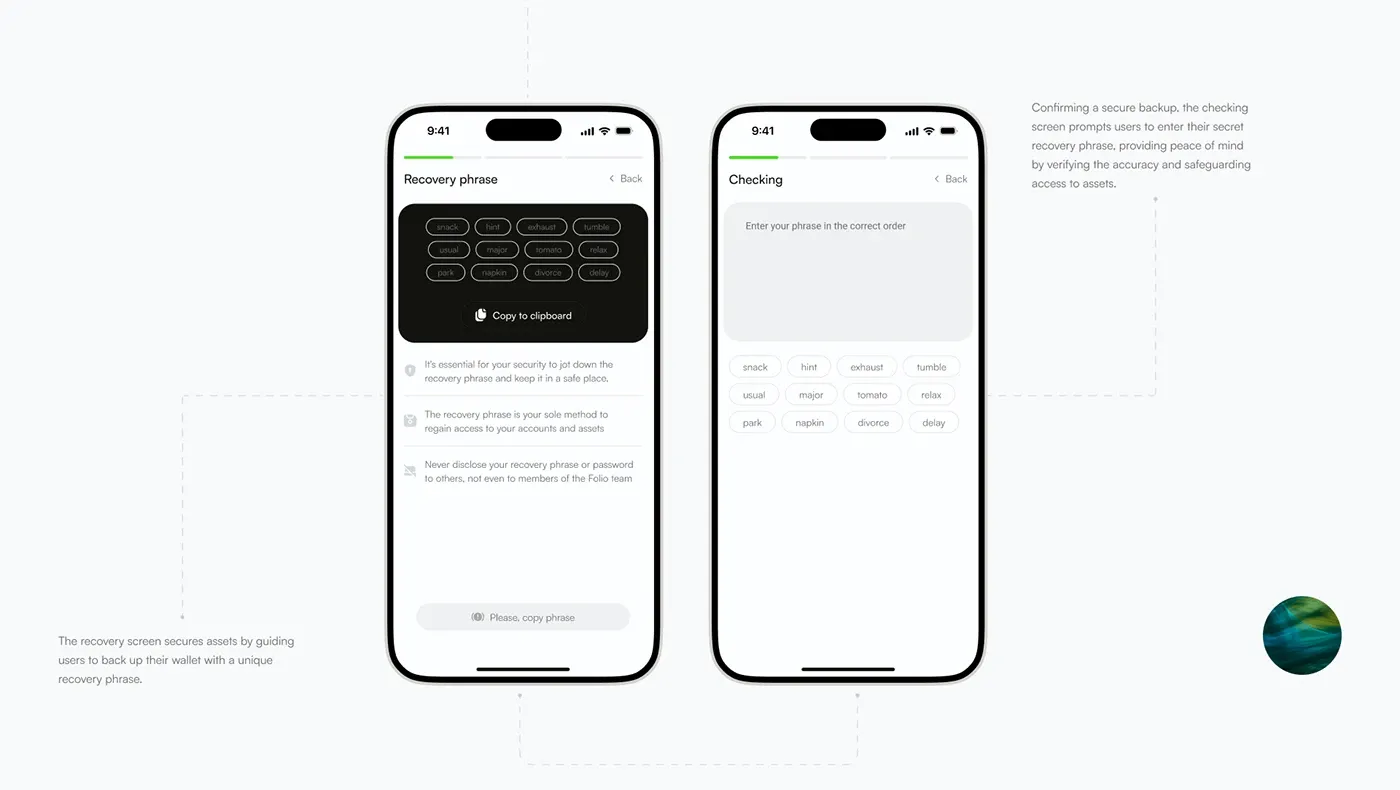
The recovery phrase screen, then the check.
How the project ran
The project board lists 3 stages:
- Discover, 1.5 weeks: user research, competitor analysis and goal setting.
- Design, 2 weeks: wireframes, a high-fidelity prototype and prototype testing.
- Delivery, 3 weeks: development, analysis and post-launch support.
Outcome
The result is the full set of screens and flows for the app. For another crypto product, see the Retoswap case study.
The full project
Every board is on Behance. Tools: Figma, Adobe XD, Adobe Photoshop and Maxon Cinema 4D.
Working on something similar? Book a call
